
Why EDID Compliance Matters in Corporate AV Production
11/08/2026Your Conference Has a Ceiling. Hybrid Streaming Removes It.
Every conference planner knows the math problem. The ballroom holds 800 people. The budget was built around 800 people. And somewhere in your CRM there are another 3,000 prospects, customers and employees who would have loved to attend but couldn’t get on a plane that week.
That gap is where hybrid streaming earns its keep. Not as a “nice-to-have for remote folks,” but as a way to get more return out of money you’re already spending on the venue, the speakers, the stage and the agenda.
But let’s be honest about something most vendors won’t say: hybrid streaming does not boost ROI automatically. A shaky stream with muffled audio actually lowers it, because now you’ve paid for a production that your remote audience abandoned after eight minutes.
This guide covers the five places where hybrid streaming genuinely moves the numbers, how to measure each one, and where events usually go wrong. If you want the production side explained in full, our hybrid event production services page covers how we build these events end to end.
Quick answer: Hybrid streaming improves conference ROI by
(1) expanding reach without adding venue cost
(2) turning one live event into months of reusable content,
(3) giving you attendee data a room can’t,
(4) making sponsorships easier to justify, and
(5) keeping remote viewers watching through broadcast-quality production.
First, Define What “ROI” Means for Your Conference
Before we get to the five ways, it helps to agree on the formula. Conference ROI is usually calculated like this:
ROI (%) = (Total event value − Total event cost) ÷ Total event cost × 100
The tricky part is “value.” For a hybrid conference, it tends to come from four buckets:
|
Value bucket |
What it looks like |
How to track it |
|---|---|---|
|
Direct revenue |
Ticket sales, remote passes, sponsorship packages |
Registration platform, sponsor invoices |
|
Pipeline influenced |
Leads and opportunities from attendees, in-room or online |
CRM tagging by attendee type |
|
Cost avoided |
Travel, lodging and extra venue capacity you didn’t have to buy |
Budget comparison against an all-in-person scenario |
|
Content value |
Post-event clips, sessions and assets used in marketing or training |
Views, downloads, and reuse count over 6–12 months |
Keep this table handy. Each of the five strategies below feeds at least one of these buckets.
1. Grow Your Audience Without Growing Your Venue Bill
A physical room has a hard capacity. A live stream doesn’t. That’s the simplest, most obvious ROI lever, and it’s still the one that gets underused.
When you add a remote audience, your biggest fixed costs (venue, staging, keynote speakers, AV) stay roughly the same. What changes is the number of people those costs are spread across. Your cost per attendee drops, and your cost per engaged attendee can drop with it, provided people actually watch.
Here’s a simplified illustration, using made-up numbers so you can plug in your own:
|
In-person only |
Hybrid |
|
|---|---|---|
|
Fixed event cost |
$150,000 |
$150,000 |
|
Streaming and remote production add-on |
$0 |
$30,000 |
|
Total cost |
$150,000 |
$180,000 |
|
Attendees |
600 |
600 in-room + 1,400 remote |
|
Cost per attendee |
$250 |
$90 |
The hybrid version costs 20% more in total but reaches more than three times the people. Even if only half your remote registrants show up live, the cost per attendee is still far below the in-person-only figure.
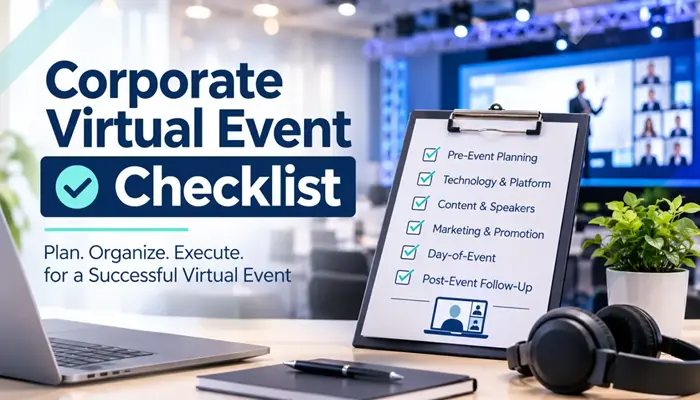
Tip: Create a separate registration type for remote attendees. It lets you send the right access links, track them separately, and later compare their behavior against in-room guests. Our corporate hybrid event checklist builds this into its Marketing & Registration phase for exactly this reason.
Industry research backs the direction of travel. As cited on our service page, Grand View Research projects the hybrid events market to grow at roughly a 20% CAGR from 2025 to 2030. The demand is there. The question is whether your event is built to capture it.
2. Turn One Live Event Into a Year of Content
Here’s a number nobody puts on a conference budget: how many times will you reuse the footage?
A conference is a burst of expensive, high-quality content. Keynotes, panels, product demos, customer stories, all captured in one place with all your best speakers. If that content disappears when the lights go out, you’ve paid full price for a one-time experience.
A properly produced stream gives you a clean, multi-camera recording as a by-product. That recording can feed:
- On-demand session libraries for registrants who missed a live slot (and for a paid or gated archive)
- Short clips for LinkedIn, email campaigns and sales follow-up
- Training and onboarding material for new hires and partners
- Next year’s promotion, using real footage instead of stock photography
- Webinar-style rebroadcasts across time zones
The catch is that content reuse only works if the recording is planned. Isolated audio, clean graphics, consistent framing and proper archiving are far easier to build in from the start than to fix afterward. That’s why our hybrid production workflow includes dedicated event recording rather than treating it as a screen capture on the side.
Real-world proof point: On a recent enterprise hybrid conference, our team reduced post-production lead time by 30% because the capture was designed with editing in mind. Read the full case study.
3. Get Data a Ballroom Can Never Give You
In a room, you can count badge scans and guess at engagement by looking at how many people have their phones out. Online, you can measure nearly everything.
That’s a real ROI advantage, because what you can measure, you can defend to your CFO, and improve next year.
What hybrid streaming lets you track:
- Live vs. on-demand viewership per session
- Average watch time and drop-off points (the exact minute people leave)
- Poll responses and Q&A participation
- Chat activity and sentiment
- Resource downloads and link clicks
- Which remote attendees later became sales conversations
This is the stuff that turns “the conference went well” into “Session 4 held 82% of its viewers, the product demo drove the most follow-up requests, and remote attendees converted at a different rate than in-room guests.”
A simple scorecard to build before the event
|
Metric |
Why it matters |
Segment by |
|---|---|---|
|
Registrations |
Demand and reach |
In-room vs. remote |
|
Live attendance rate |
Interest vs. intent |
Session, attendee type |
|
Average watch time |
Content quality and stream stability |
Session |
|
Engagement actions (polls, Q&A, chat) |
Active vs. passive audience |
Attendee type |
|
Post-event leads or opportunities |
Revenue link |
Source and attendee type |
|
On-demand views (30/60/90 days) |
Long-tail content value |
Asset |
Pro tip: Decide your KPIs before you choose a streaming platform, not after. Different platforms expose very different data, and discovering a gap on event day is too late.
4. Make Sponsors and Stakeholders Happier (and Easier to Renew)
Sponsorship is where a lot of conference budgets are won or lost. And sponsors increasingly ask a blunt question: what did I get for this?
A room of 600 people at a booth is one answer. A room of 600 plus a tracked online audience, branded overlays on every session, sponsor-specific clips and a measurable list of engaged viewers is a much better one.
Hybrid streaming gives you new, legitimately sellable inventory:
- Branded graphics and lower-thirds during sessions
- Sponsored session slots with their own viewer reports
- Pre-roll and post-roll placements in the on-demand library
- Remote lead capture through polls, downloads and booth-style virtual rooms
- Post-event recap packages with real numbers
The same goes for internal stakeholders. If your leadership team asks whether the all-hands or the sales kickoff was worth the spend, a segmented report showing live reach, watch time and engagement is far more persuasive than anecdotes.
Tip: Build sponsor deliverables into the production plan, not as a last-minute favor. Overlays, slots and reporting all need to be rehearsed like any other part of the show.
5. Protect Your Investment With Production People Actually Want to Watch
This is the one most guides skip, and it’s the one that decides whether the first four ways pay off.
Remote viewers are brutally honest. They don’t sit politely through a bad experience the way someone in a ballroom might. If the audio is thin, the slides are unreadable, or the stream buffers during the keynote, they leave. And once they’ve left, your reach numbers, your content library, your sponsor reports and your analytics all go down with them.
Quality is not a luxury line item. It’s the multiplier on everything else.
What “broadcast-quality” actually means in practice
|
Production element |
What good looks like |
What it protects |
|---|---|---|
|
Multi-camera capture |
Dedicated operators and live switching, so remote viewers see the speaker and the slides |
Watch time |
|
Audio |
Clean, optimized mixes sent to the stream, separate from the room mix |
Comprehension and retention |
|
Lighting and stage design |
Looks right on camera, not only to the people in the room |
Brand perception |
|
Redundancy |
Backup internet, encoding and recording paths, so one failure doesn’t end the show |
Reach and reputation |
|
Dedicated stream director |
One person watches stream health while another runs the room |
Uptime |
Quality shows up in results. In one multi-zonal hybrid production we delivered, careful visual and audio engineering contributed to a 65% improvement in message retention. See how it was done. On another large enterprise summit, we maintained 99.999% technical uptime across the event.
The hybrid rule we repeat on every project: put your stream director and your in-room producer in two different chairs, on two different radios. The moment a stage problem pulls the producer away is the moment an unwatched stream starts to fail.
Where Hybrid ROI Quietly Leaks
Streaming adds value only if you avoid the common leaks. These are the five we see most often:
- Treating the remote audience as an afterthought. The room gets 90% of the planning. The stream gets what’s left.
- Booking the venue before checking bandwidth. Capacity and catering get confirmed; upload speed doesn’t.
- Rehearsing to the room, not the lens. A speaker who’s great live can still look lost on camera.
- No plan B for the stream. It’s not “if” a connection drops, it’s “when.”
- No post-event plan for the recording. Great footage, no editor, no schedule, no repurposing.
If you want a structured way to avoid all five, our free corporate hybrid event checklist walks through 76 tasks across eight planning phases, including two built specifically for streaming production and remote engagement.
How to Start: A 6-Step Plan for Your Next Conference
- Set separate goals for in-room and remote audiences. Different people, different success metrics.
- Decide the in-room/remote split before you book the venue. It drives bandwidth, camera plan and budget.
- Budget streaming as core production, not a bolt-on at the end.
- Choose your KPIs and tracking tools early, then build your scorecard.
- Rehearse speakers on camera, with remote Q&A in the run-through.
- Plan the recording’s second life (clips, on-demand library, sales and training use) before the event starts.
Hybrid Conference ROI: Frequently Asked Questions
Get a hybrid ROI game plan for your conference.
Walk through your audience split, venue bandwidth and content goals with a producer who runs hybrid events for a living, and leave with a clear production approach and budget direction.
Prefer to plan on your own first? Download the 76-task corporate hybrid event checklist and bring your answers to a call whenever you’re ready.
To learn more about who we are and the kinds of events we produce, visit the Eleven Eleven Audio Visual home page.