
Corporate Event Planning Template: Free Download
08/26/2026
Conference Event Planning Checklist: Free Download
09/11/2026
If you've planned more than one virtual event, you already know the risk isn't the big stuff. It's the fifteen small things nobody owns. Nobody confirmed the speaker's backup internet.
Nobody tested breakout rooms until 20 minutes before doors opened. The registration confirmation email went out with last year's Zoom link.
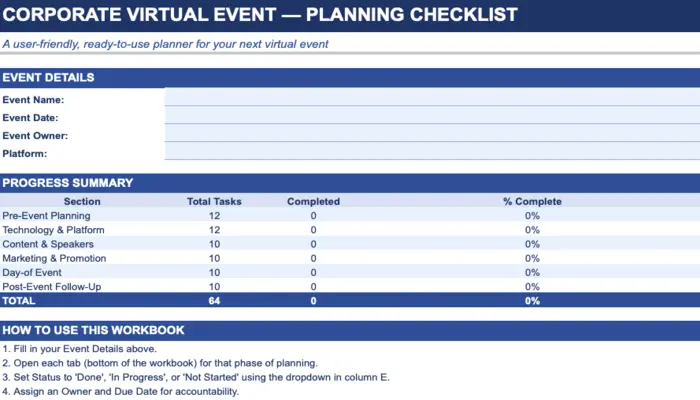
We built this checklist to close those gaps. It's the same task structure our production team references before every remote and hybrid show. It is organized by phase, assignable by owner, and built as a real spreadsheet with a live progress dashboard, not a static PDF you print once and lose.
No spreadsheet skills required
Just fill in the owner, due date, and status.
What Makes This Different From a Generic Checklist
Most "virtual event checklist" templates floating around are a single long list with a checkbox column. Ours is built the way a production team actually works:
- Six phases, not one long list: Pre-Event Planning, Technology & Platform, Content & Speakers, Marketing & Promotion, Day-of Event, and Post-Event Follow-Up each get their own tab.
- A dashboard that updates itself: Assign a status of Not Started, In Progress, or Done, and the summary tab calculates completion percentage per phase automatically. No manual tallying.
- Owner and due-date columns: Because a task with no name attached to it is a task that quietly doesn't happen.
- Color-coded status: Red, yellow, green fills make it obvious at a glance which section is behind, without opening a single formula.
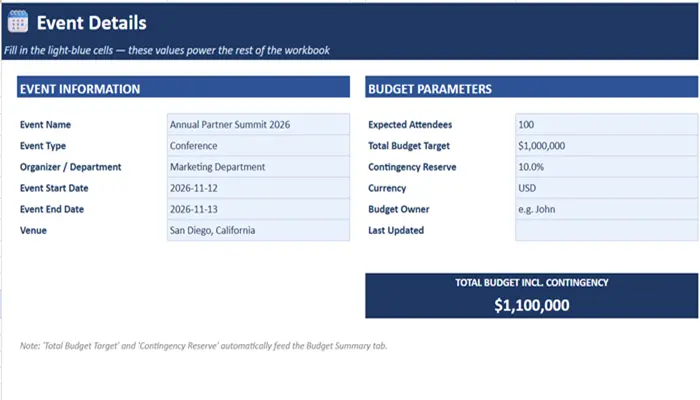
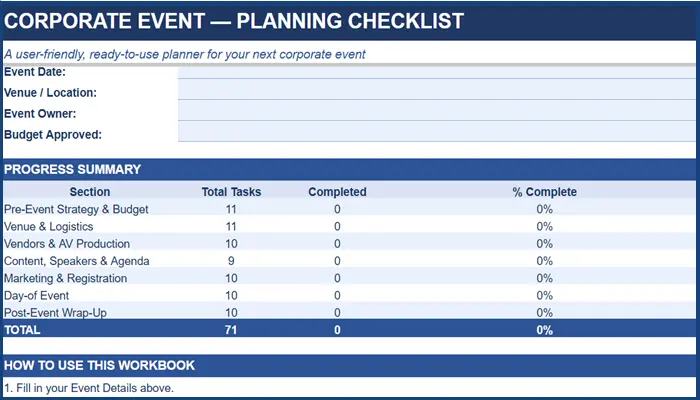
For teams managing the broader event lifecycle alongside virtual production, our Corporate Event Planning Checklist covers planning, vendors, logistics, budget, and execution beyond the virtual platform itself.
Who This Is Built For
- Marketing managers running a product launch webinar or all-hands town hall
- Event coordinators handling registration, platform setup, and speaker logistics solo
- RevOps and sales enablement teams producing a remote kickoff session
- Internal comms teams managing quarterly virtual town halls
Inside the Corporate Virtual Event Checklist
|
Phase |
Sample Tasks |
Common Failure Point |
|
Pre-Event Planning |
Define KPIs, confirm platform, lock agenda |
Goals get defined after the platform is already booked |
|
Technology & Platform |
Test streaming stability, configure breakout rooms, run full tech rehearsal |
Rehearsal happens with slides only — never with live video |
|
Content & Speakers |
Collect bios, send branding kit, script the moderator |
Speakers get their slide template two days before the event |
|
Marketing & Promotion |
Build email cadence, schedule reminder sends, track registrations weekly |
Reminder emails get built but never scheduled to actually send |
|
Day-of Event |
Open the virtual lobby, monitor chat, keep speakers on time |
Nobody is assigned to watch the clock once the show starts |
|
Post-Event Follow-Up |
Send recording, launch survey, calculate ROI against original KPIs |
The recording goes out; the ROI conversation never happens |
Pro Tip: Assign the Day-of Event tab to one single point of contact — not a group. The most common breakdown we see on remote shows isn't a tech failure, it's three people assuming someone else is watching the chat queue.
Who This Checklist Is For
- Event and marketing teams running a hybrid conference, town hall, or product launch
- Internal comms teams broadcasting a leadership event to a distributed workforce
- Sales enablement teams running a hybrid kickoff with reps joining both in-room and remote
- Anyone who's run a hybrid event before and knows exactly why the remote phase exists
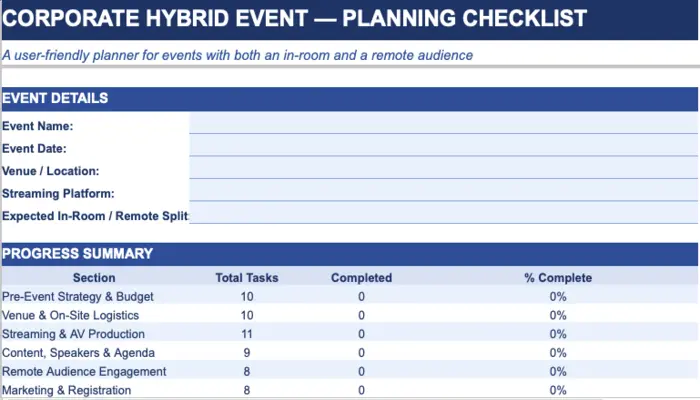
For events that combine an in-room audience with remote participation, use our Corporate Hybrid Event Checklist to cover the additional venue, AV, streaming, and audience coordination requirements.
How to Use this Virtual Event Checklist (Without Overcomplicating It)
01
Fill in your event details
On the Dashboard tab — name, date, owner, platform.
02
Open each phase tab
As you reach that stage of planning.
03
Assign an owner and due date
To every task — an unassigned task is an invisible task.
04
Update status as you go
The dashboard does the math; you don't have to
05
Review the Dashboard weekly
In your event standup so gaps surface before they become fire drills.
Where a Checklist Stops Being Enough
A checklist keeps your team organized. It doesn't fix a bad stream, a speaker whose audio cuts out, or a platform that can't handle 2,000 concurrent viewers. That's the line between event planning and event production — and it's where most internal teams hand off to a partner.
Once those production requirements are identified, they also need to be reflected in the event budget. Our Corporate Event Budget Template can help teams track production costs, vendor expenses, and contingency before the event goes live.
If your virtual event is customer-facing, investor-facing, or tied to a revenue number leadership is watching, the checklist is step one. The technical execution — redundant streaming infrastructure, professional audio, a producer running the show in real time — is what actually protects the event on the day.
Planning a Corporate Virtual Event?
A checklist keeps your team on track. A production partner is what keeps the stream up when 500 people are watching live.
Talk through your platform, audience size, and timeline with someone who's produced this before — not a sales rep.