
Corporate Virtual Event Checklist (Free Download) Editable
09/07/2026
Corporate Event Email Invitation Template: Free Download
09/11/2026
A conference isn't one event, it's six or seven happening at once. While the general session runs on the main stage, three breakout rooms are running their own AV cues on their own clocks, an exhibitor is trying to get a forklift through a loading dock that closes at 4pm, and a speaker who was supposed to arrive Tuesday just texted that their flight got pushed to Wednesday morning.
Most event checklists don't account for that kind of parallel complexity. They're written for a single-room, single-agenda event and then stretched to cover a three-day conference, which is why so many conference plans start clean and fall apart by week six, not from one big mistake, but from a dozen small things nobody assigned an owner to.
This checklist is built around the actual shape of a conference: multiple tracks, multiple stakeholders, and a lot more moving parts than a typical corporate event.
Built for Multi-Track, Multi-Day Events - Not a Stretched Version of a Single-Session Checklist
A conference checklist that just adds a few extra rows to a general event template misses what actually makes conferences hard to run. This one is structured around the parts unique to conferences:
Breakout rooms as their own production challenge Not "AV" as one line item. It is a dedicated phase for mapping room count, per-room technical specs, and a run-of-show that spans every track at once
Speaker logistics separated from general content planning Call for speakers, contracts, rehearsal scheduling, and a ready room treated as their own workstream, because a keynote speaker's needs and a breakout moderator's needs aren't the same thing
Exhibitor and sponsor coordination Booth assignments, load-in windows, electrical and AV needs the layer of a conference that a standard corporate event checklist doesn't touch at all
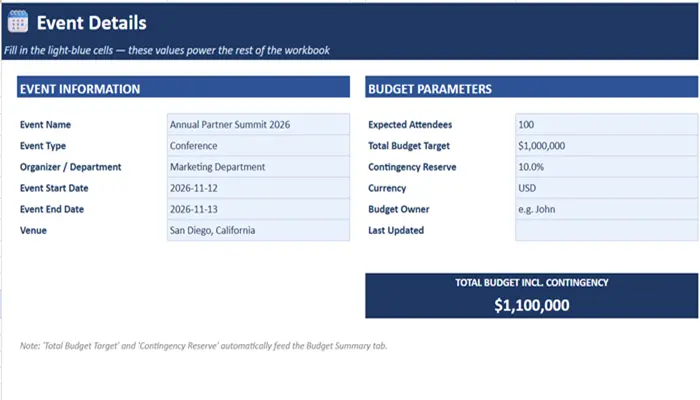
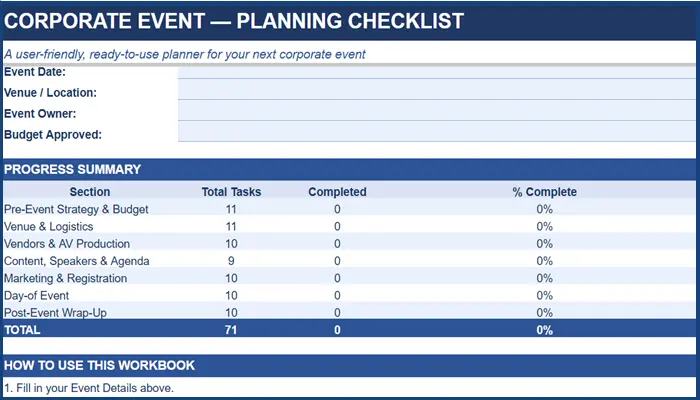
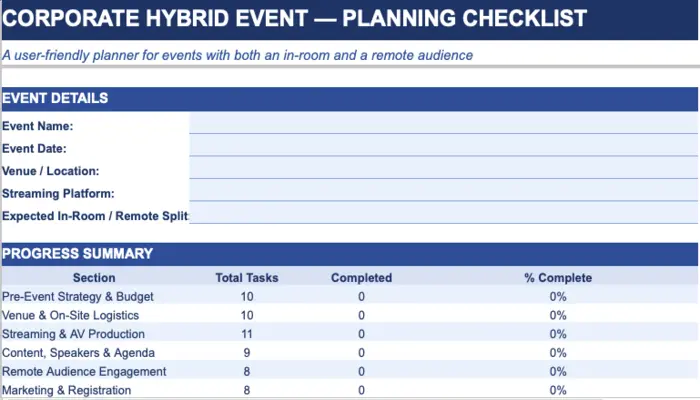
A live dashboard, not a static list Every phase tab feeds a completion percentage automatically, so a project lead can see which track is behind without opening eight separate tabs.
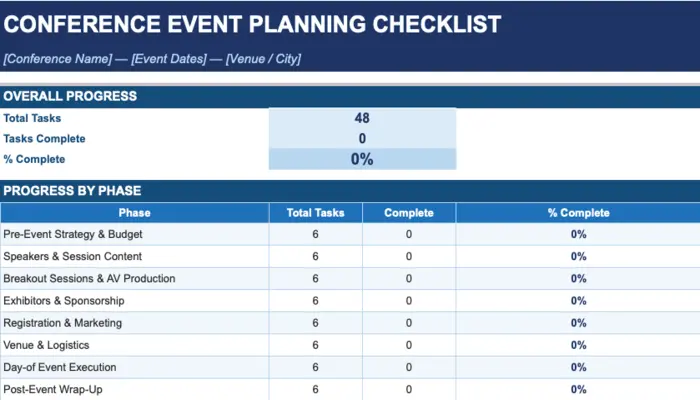
What's Inside the Conference Event Planning Checklist
|
Phase |
What It Covers |
Why Teams Miss It |
|
Strategy & Budget |
Objectives, KPIs, contingency budget, date selection against industry calendar |
Dates get locked before anyone checks for competing conferences in the same space, which quietly caps attendance |
|
Speakers & Session Content |
Call for speakers, keynote contracts, bios, rehearsal scheduling |
Rehearsals get scheduled for keynotes but skipped for breakout speakers, and that's usually where the AV surprises happen |
|
Breakout Sessions & AV |
Room mapping, per-room technical specs, moderators, multi-track run-of-show |
The general session gets a full rehearsal; breakout rooms get a soundcheck fifteen minutes before doors open |
|
Exhibitors & Sponsorship |
Booth assignments, sponsor deliverables, load-in/load-out scheduling |
Sponsorship gets sold before the floor plan is finalized, so booth sizes and power needs get renegotiated twice |
|
Registration & Marketing |
Landing page, pricing tiers, badge design, check-in flow |
Badge printing gets tested with 20 sample names, not the actual list — and typos surface in the check-in line |
|
Venue & Logistics |
Venue contract, catering counts, accessibility compliance, insurance certificates |
Multi-room events assume one catering count works for the whole day instead of tracking attendance by session |
|
Day-of Event |
Team roles, vendor load-in windows, technical rehearsal, real-time issue log |
Floor captains get assigned to the main stage but nobody owns problems in the breakout rooms |
|
Post-Event Wrap-Up |
Attendee survey, budget reconciliation, session recordings, internal debrief |
Recorded sessions sit unedited for months because nobody owned turning them into usable content |
Pro Tip:Lock your breakout room AV specs at least four weeks before the event, not during load-in week. A general session usually gets a full technical rehearsal; breakout rooms rarely do, and that gap is where mic issues, wrong screen resolutions, and missing HDMI adapters show up live in front of an audience.
Who Reaches for Conference Event Planning Checklist
- Conference and event directors managing a multi-day program with parallel tracks
- Marketing teams launching a user summit, industry conference, or annual gathering with exhibitors
- Sponsorship and partnership leads coordinating booth logistics alongside the main program
- Anyone inheriting conference planning without a dedicated production team already in place
A Checklist Keeps Every Track on Schedule. It Doesn't Run Three Rooms at Once.
A checklist is what keeps strategy, speakers, sponsors, and registration from falling through the cracks on paper. What it can't do is stand in a breakout room when a presenter's laptop won't connect to the projector while the general session is running fifteen feet away and pulling every available hand.
That's the real difference at conference scale: a single-room event might survive a technical hiccup. A multi-track conference with concurrent sessions doesn't have that slack — when something breaks in Room B, Room A and Room C are still running on their own clocks, and someone needs eyes on all three at once.
If your conference has more than one room running simultaneously, exhibitors on the floor, or executive keynotes with zero room for error, that's the point where planning support and production support need to be two different conversations.
Frequently Asked Questions
Planning Is the Blueprint. Production Is What Holds Under Pressure.
A checklist gets every track, every speaker, and every sponsor organized well before doors open. Whether the general session, the breakouts, and the exhibitor floor all run without a hitch at the same time that's a production question.
Walk through your room count, track schedule, and speaker list with a team that's produced multi-day conferences before, not a generic AV rental quote.